To Delete your account Please follow below steps
Step 1
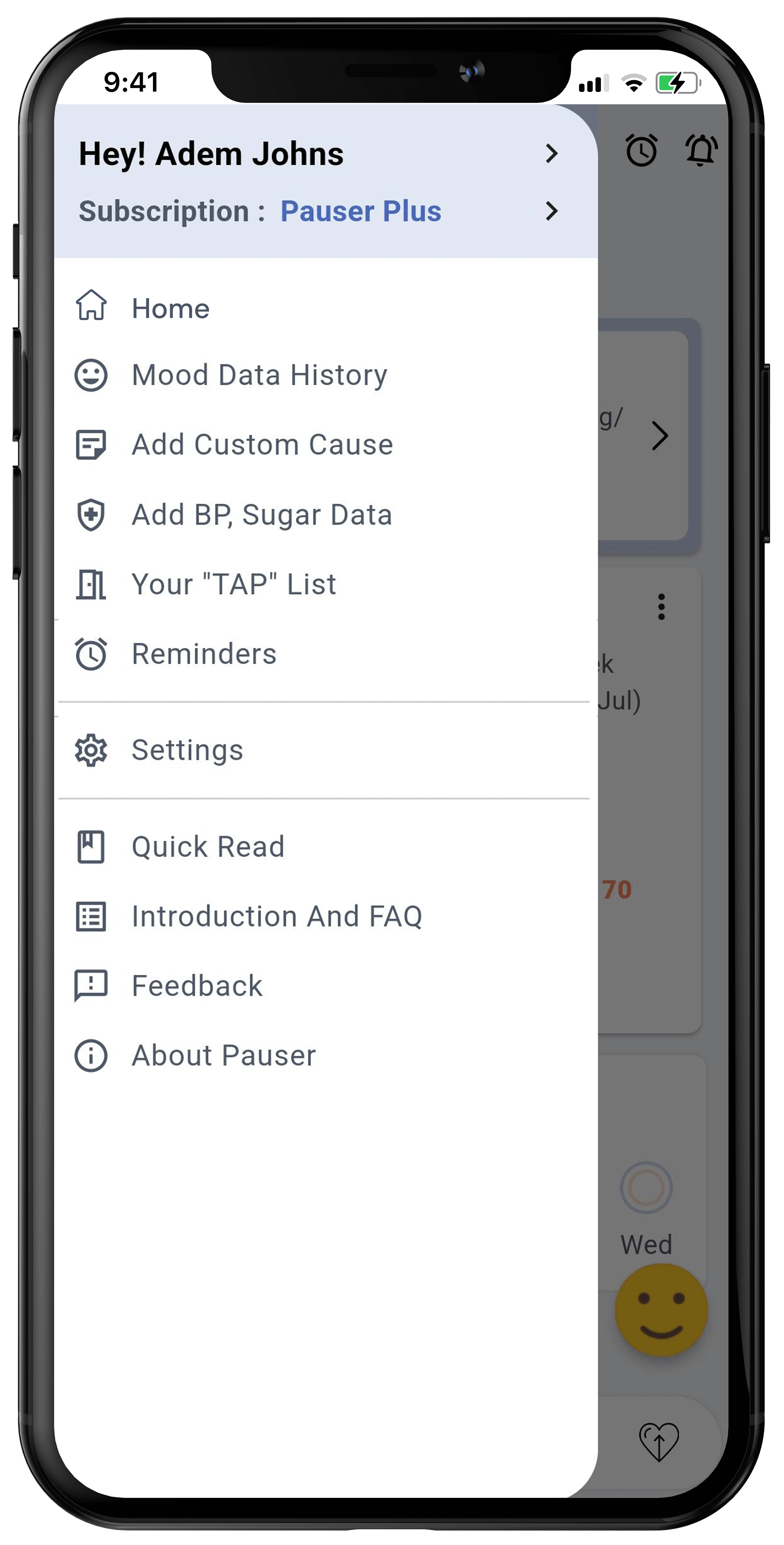
Open Side menu and click on your name to open ‘Profile’ screen.
Step 2
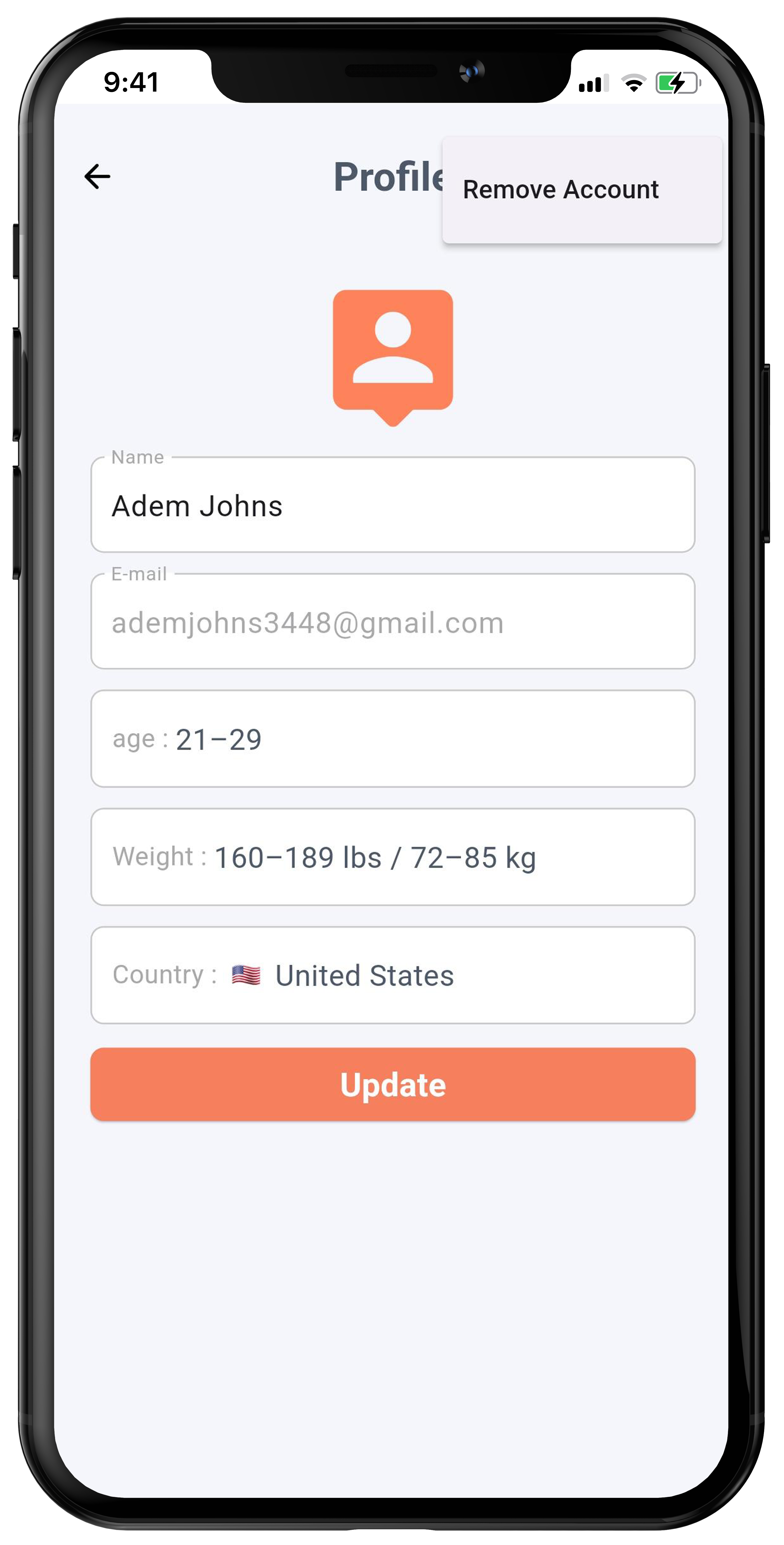
From Profile screen, click on 3 dots, Located at top right and click “Remove Account”.
Step 3
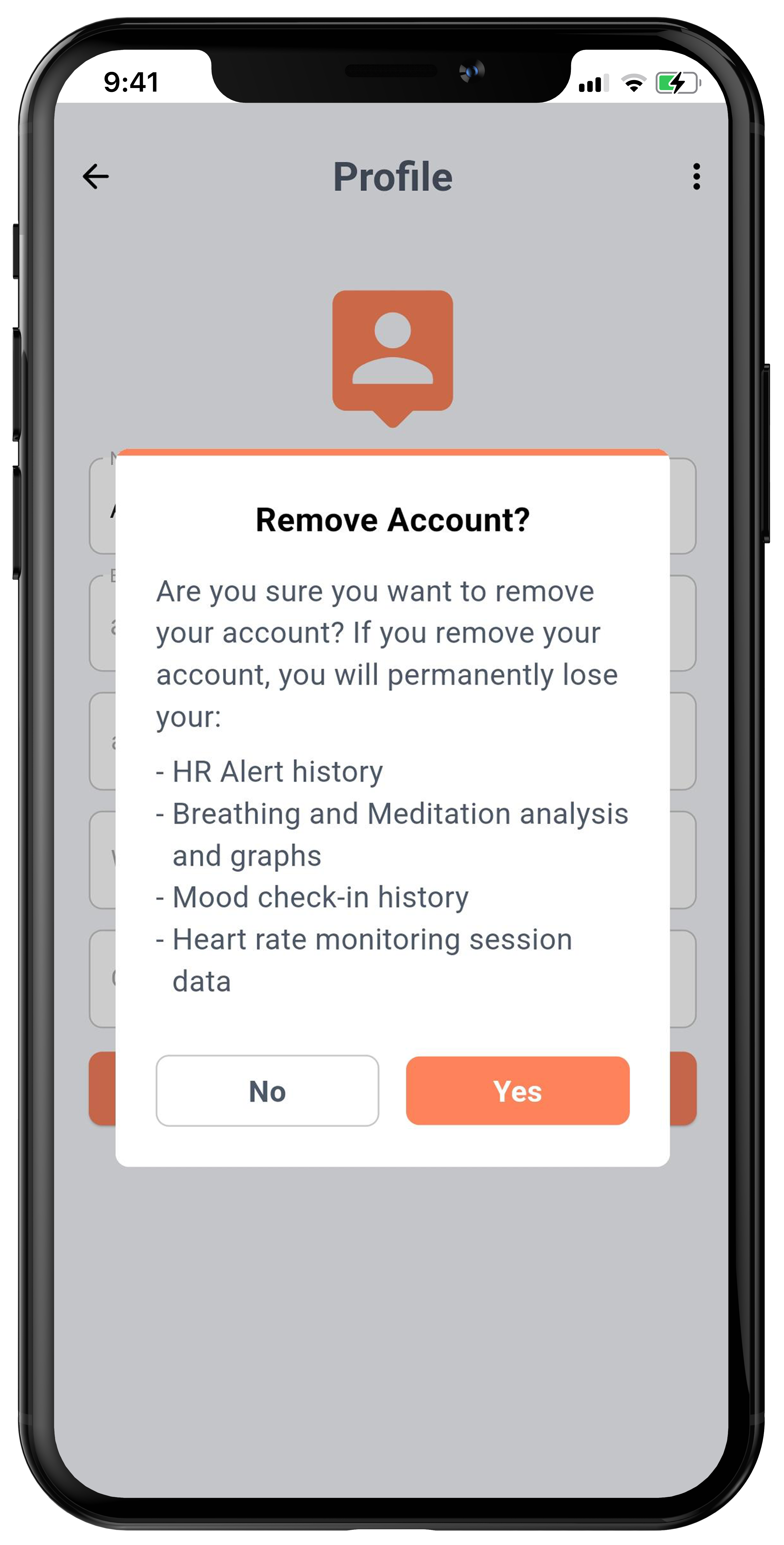
Confirm account removal by clicking on “Yes”.