
A Pause is a short guided breathing or meditation session in Pauser. It is a wellness practice that may help you slow down and reset during your day.
To take a Pause on your phone:
- Tap Pause at the bottom of the screen.
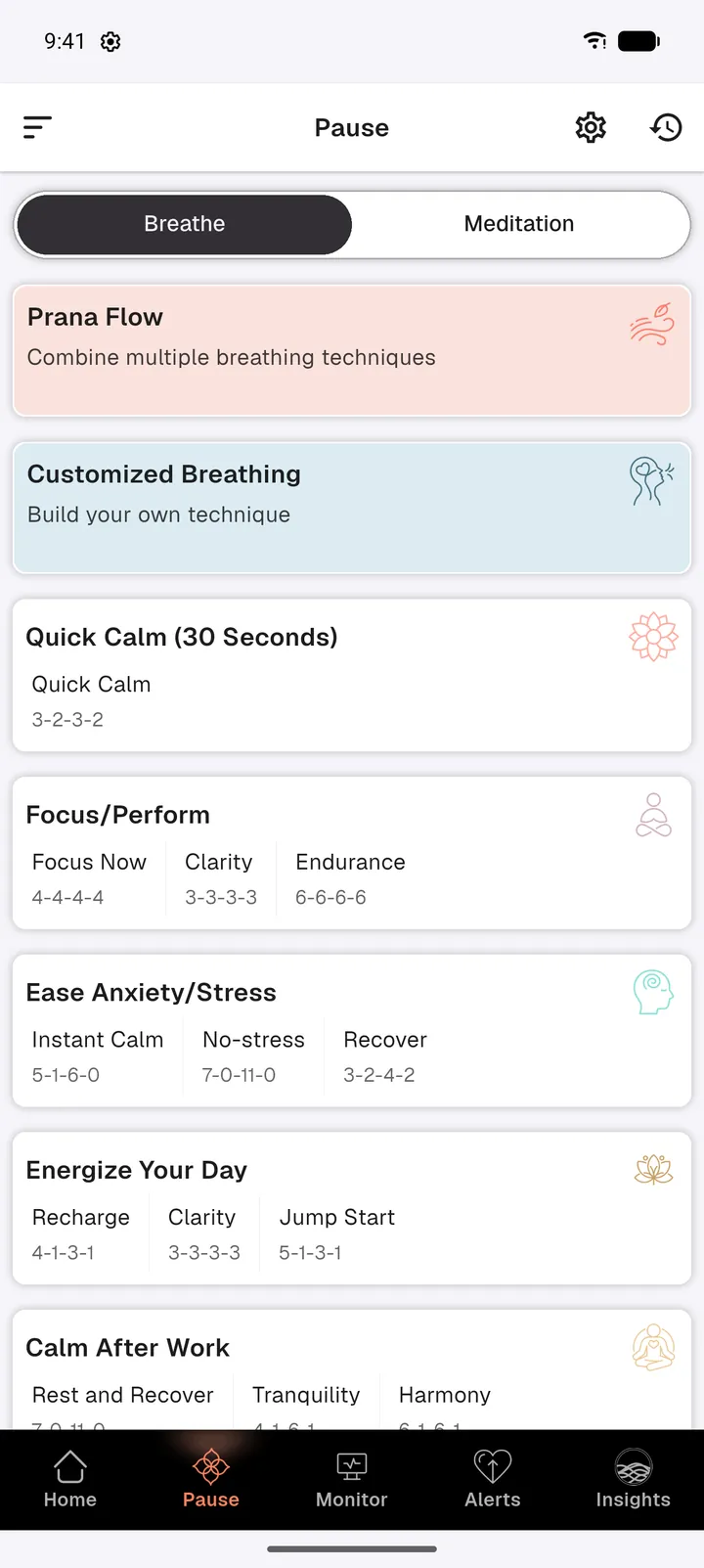
- Choose Breathe for guided breathing, or Meditation for a guided meditation.
- Tap a technique and follow the prompts.
The Breathe tab has Prana Flow, Customized Breathing, Quick Calm (30 Seconds) and a set of techniques such as Focus/Perform, Energize Your Day, Calm After Work and Before Sleep. The Meditation tab has Mindfulness Meditation, Gratitude Meditation and Focused Meditation.
On a Wear OS watch: tap Quick Calm for a 30-second session, or Breathing for more techniques.
On an Apple Watch: tap Quick Calm on the home screen, or open Breathing Techniques.
Good to know:
- If Pauser is set up to use your watch, it reads your heart rate during the Pause and shows it afterwards on the session’s details.
- Your past Pauses are in Pause History: tap the history icon (a clock with a curved arrow) at the top right of the Pause tab.
- Some features depend on your plan. To see what yours includes, open the menu and tap the plan badge under your name.
Still stuck? Tap Support at the top of Home, or open the menu and tap Message us. You can also email support@pauser.health.