
Quick Calm is Pauser’s 30-second breathing Pause. You breathe in for 3 seconds, hold for 2, breathe out for 3 and hold for 2, three times over.
It needs no setup, so it may suit a moment when you want a short reset with little effort.
On your phone:
- Tap Pause at the bottom of the screen.
- On the Breathe tab, tap Quick Calm (30 Seconds). The session starts straight away.
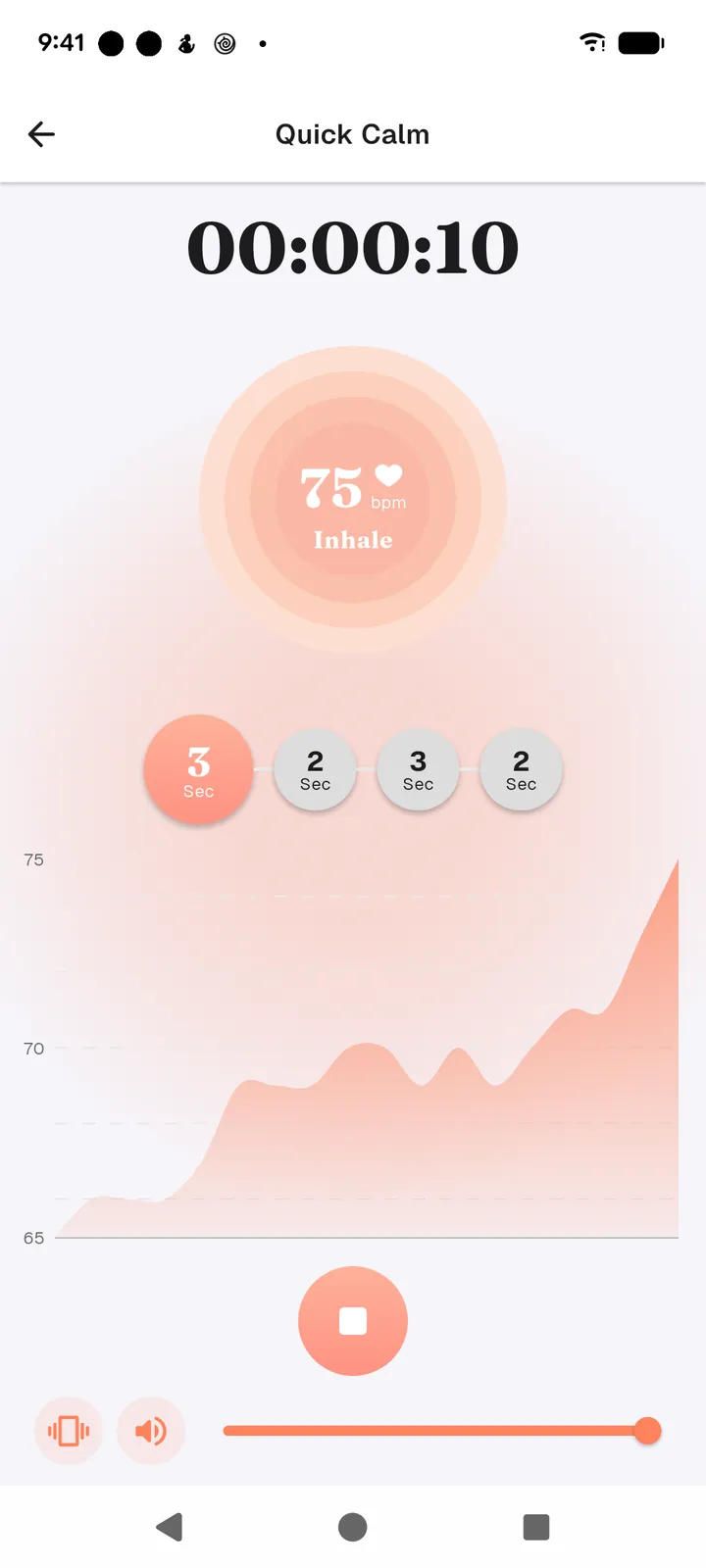
On a Wear OS watch: tap Quick Calm (“30-second reset”) on the watch home screen. After you finish a check-in on the watch, Pauser may also ask “Do you want to take a Quick Pause?”. Tap Yes to start Quick Calm, or swipe away to skip.


On an Apple Watch: tap Quick Calm on the home screen.
Good to know:
- The pattern is the same on the phone and both watches.
- On the phone, if Pauser is set up to use your watch, it first connects for heart rate before the 30 seconds begin.
- Some features depend on your plan. To see what yours includes, open the menu and tap the plan badge under your name.
Still stuck? Tap Support at the top of Home, or open the menu and tap Message us. You can also email support@pauser.health.