
Open Profile, tap the three-dot menu at the top right, then tap Remove Account and confirm with Yes. You need an internet connection, and a subscription that is set to renew must be cancelled first.
- Open the menu (top left of Home).
- Tap your name or photo at the top to open Profile.
- Tap the three dots at the top right.
- Tap Remove Account.
- Read the Remove Account? message. It says you will permanently lose your account, along with your HR Alert history, Breathing and Meditation analysis and graphs, Mood check-in history and Heart rate monitoring session data.
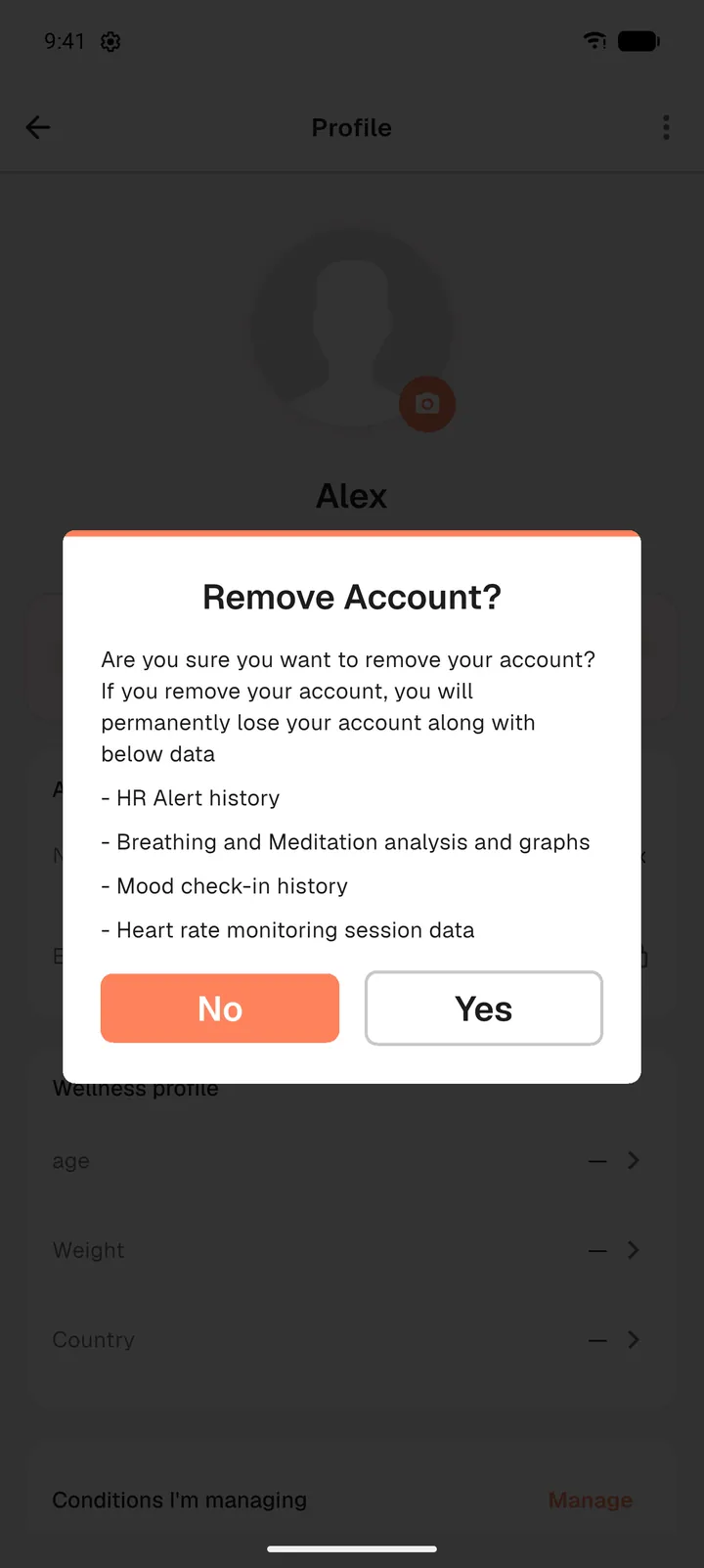
- Tap Yes to remove your account, or No to keep it.
After you tap Yes, Pauser clears its data from your phone and returns you to the Sign in to Pauser screen.
Good to know:
- If your subscription is on auto renew, Pauser stops you and asks you to cancel it first. See Why can’t I delete my account?
- Offline, Pauser closes the message and shows a network error instead. Connect and try again.
- If you want to keep a copy of your logs, make a backup from Backup & Restore in the menu before you start.
Still stuck? Tap Support at the top of Home, or open the menu and tap Message us. You can also email support@pauser.health.