
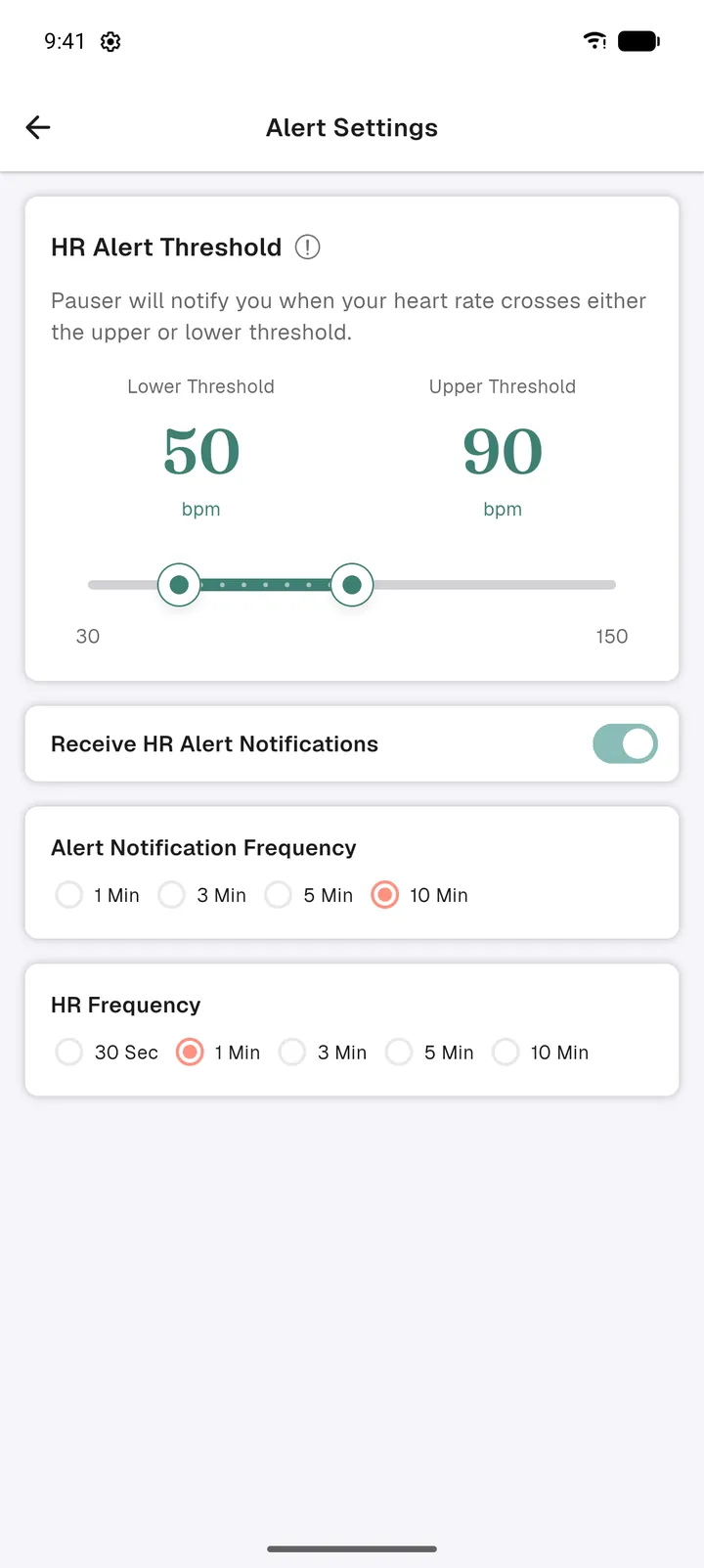
After an alert, Pauser waits before it alerts you again: 1, 3, 5 or 10 minutes, set in Alert Notification Frequency. If you have never changed it, the wait is 10 minutes.
- Open the Alerts tab and tap the settings (gear) icon.
- Make sure Receive HR Alert Notifications is on. The frequency options only show while it is on.
- Under Alert Notification Frequency, pick 1 Min, 3 Min, 5 Min or 10 Min.
Good to know
- During the wait, Pauser does not send another alert, even if your heart rate stays past your limit.
- This setting only changes how often you are notified. It does not change which readings Pauser records.
- On iPhone and Apple Watch: high and low alerts each have their own wait, so a low alert can still come soon after a high one.
- On an Android phone and a Wear OS watch: high and low alerts share one wait.
On a Wear OS watch: open General Settings and choose under Alert every. It shows only while HR alerts is on.
On Apple Watch: swipe to General Settings and choose under Frequency.
Still stuck? Tap Support at the top of Home, or open the menu and tap Message us. You can also email support@pauser.health.