
Open the Alerts tab and switch between Day, Week and Month. For one long list of all your alerts, open HR Alert History from the Insights tab.
In the Alerts tab
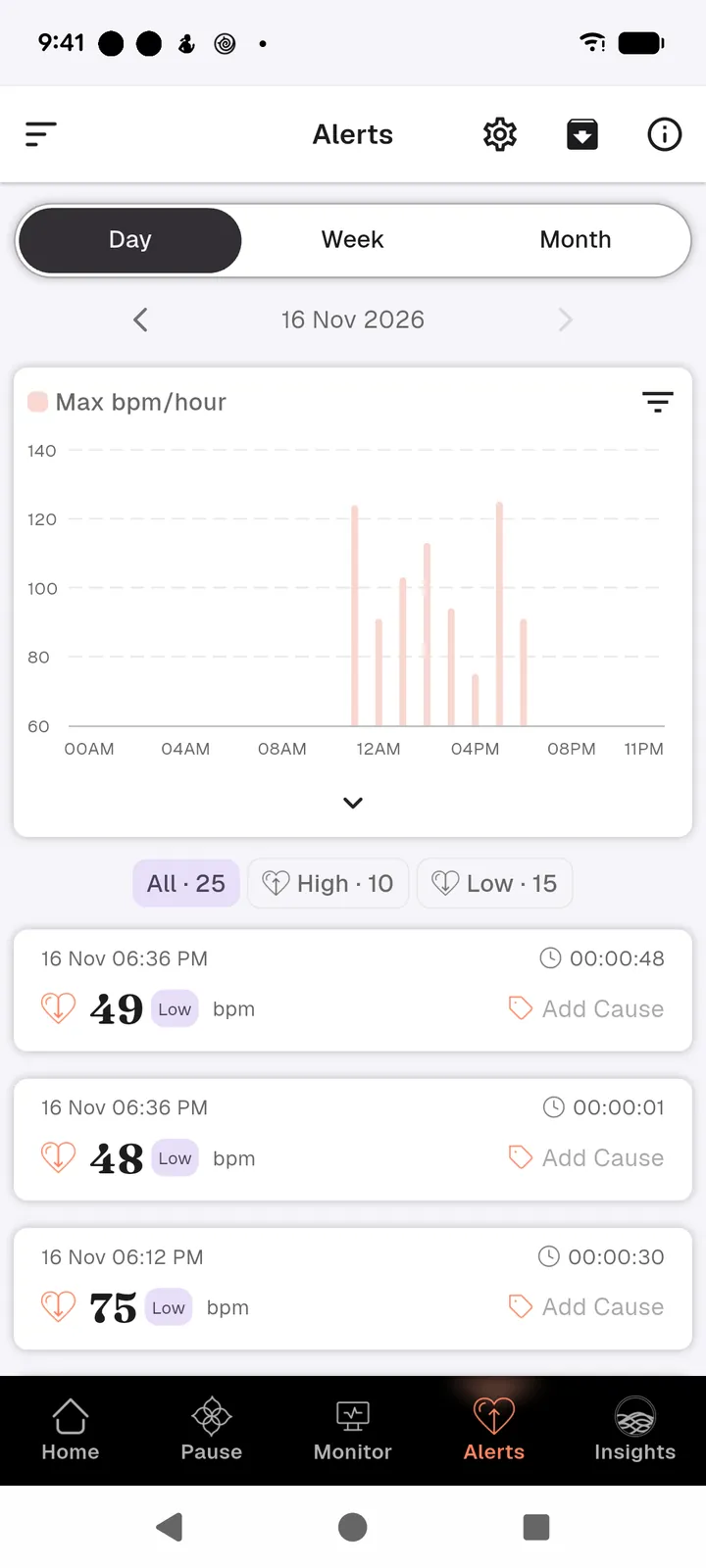
- Day shows a chart and the list of that day’s alerts. Use the chips to show All, High or Low. An Archive chip also appears on days that have archived alerts. Change the date at the top.
- Week and Month give an overview. Tap a day to open it in Day.
- Tap any alert to open Alert Analysis.
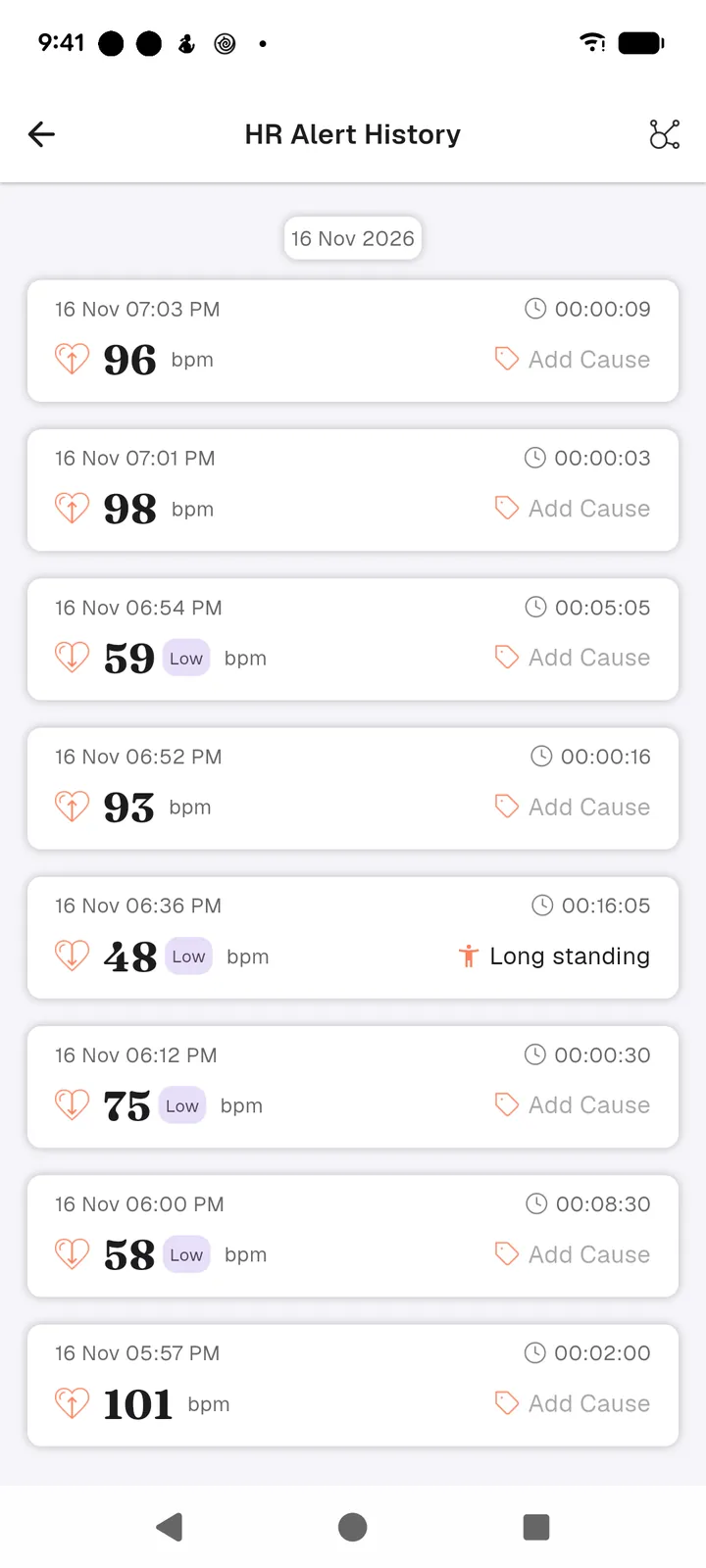
HR Alert History
- Open the Insights tab.
- Scroll to Your Logs and History and tap Alerts. You can also tap HR Alerts in the Your last 7 days summary.
Archived alerts
Tap the archive icon at the top of the Alerts tab to open Archived Alerts.
Good to know
- HR Alert History and Archived Alerts leave out very short alerts, those lasting 1 second or less (often a single reading). The Day list shows them, so an alert you see there may be missing from HR Alert History or Archived Alerts.
- Moving to another date in Day may depend on your plan.
Some features depend on your plan. To see what yours includes, open the menu and tap the plan badge under your name.
Still stuck? Tap Support at the top of Home, or open the menu and tap Message us. You can also email support@pauser.health.