
Open the alert, tap Add locations, pick a place and tap Done. Pauser comes with Home and Work, and you can add your own places.
- Open the Alerts tab and tap the alert.
- On Alert Analysis, scroll to the location card and tap Add locations.
- On Select a location, tap a place.
- To add a new one, type it in Name this location at the bottom and tap Add.
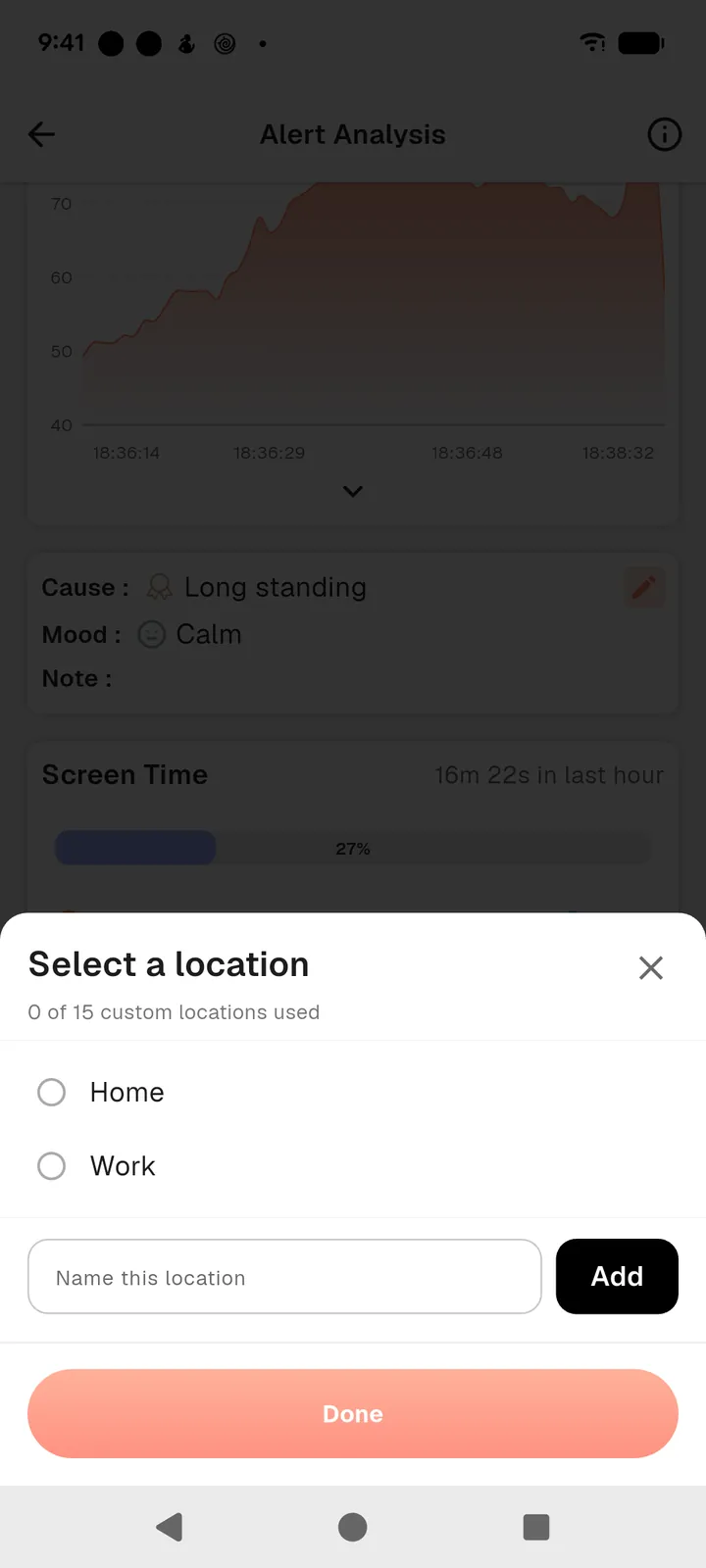
- Tap Done.
Once tagged, the card shows Location : Home (or the place you chose). Tap it to change the place.
Good to know
- You can keep up to 15 places of your own. The sheet shows how many you have used.
- Your own places can be renamed or deleted with the icons next to them. Home and Work cannot be changed.
- Deleting a place does not remove it from alerts you already tagged with it.
- Pauser does not record your GPS position. Some alerts recorded by older versions of Pauser may still show a Recorded Location card with a saved map position.
Some features depend on your plan. To see what yours includes, open the menu and tap the plan badge under your name.
Still stuck? Tap Support at the top of Home, or open the menu and tap Message us. You can also email support@pauser.health.