
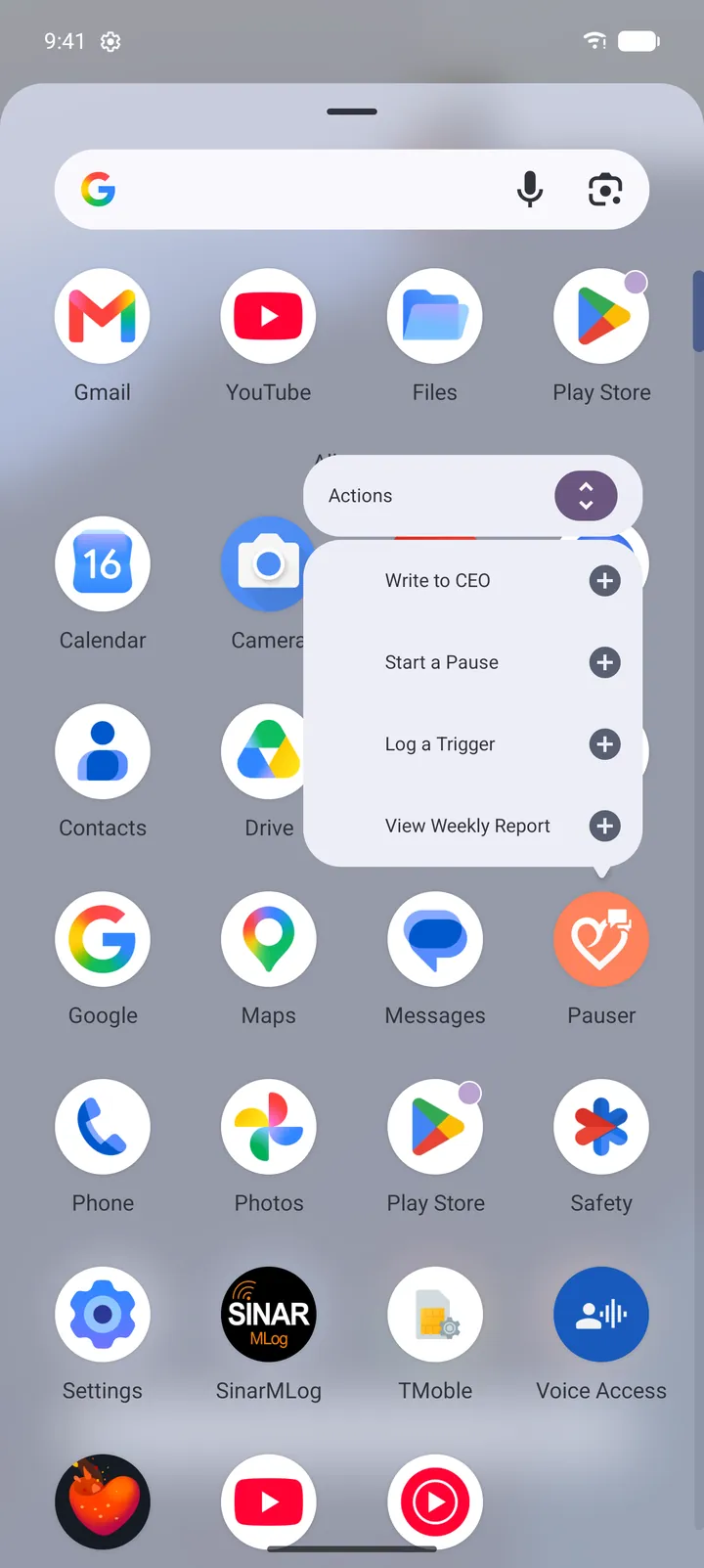
Touch and hold the Pauser app icon on your home screen, then tap Write to CEO. This shortcut is the only way to open it; it isn’t in Pauser’s menu.
- Touch and hold the Pauser icon on your phone’s home screen.
- Tap Write to CEO in the list that appears.
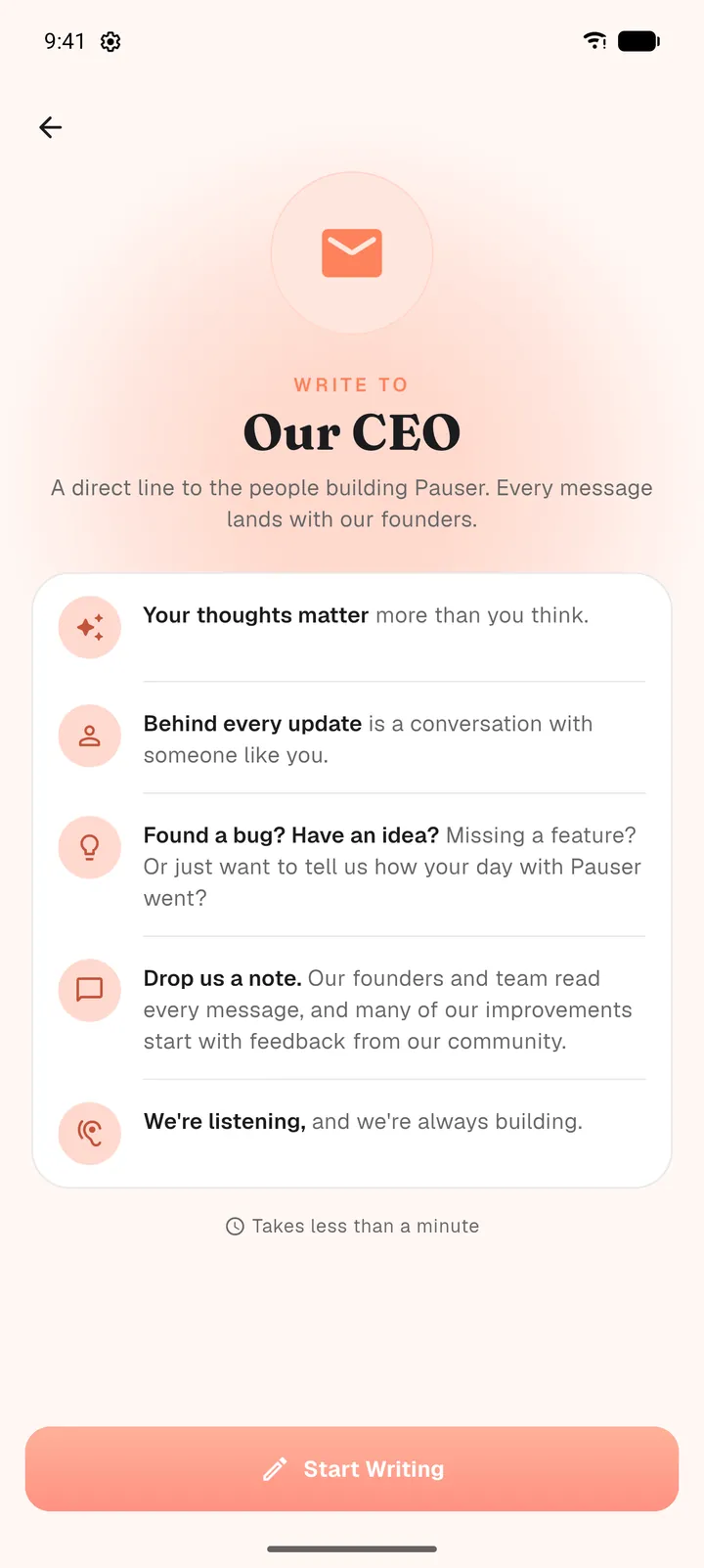
- Pauser opens. Tap Start Writing.
- On Write a letter to our CEO, type your message.
- Tap Share message.
Pauser shows Thanks for writing when your letter has been sent.
Good to know:
- The shortcut works on both Android phones and iPhone. It appears after you have opened Pauser at least once.
- You need to be signed in and finished with setup. Otherwise the shortcut just opens Pauser.
- A letter can be up to 2000 characters; the counter under the box shows how many you have used.
- You need an internet connection to send it. If sending fails, your text stays on the screen so you can try again.
- The same shortcut list also offers Start a Pause, Log a Trigger and View Weekly Report.
Still stuck? Tap Support at the top of Home, or open the menu and tap Message us. You can also email support@pauser.health.