
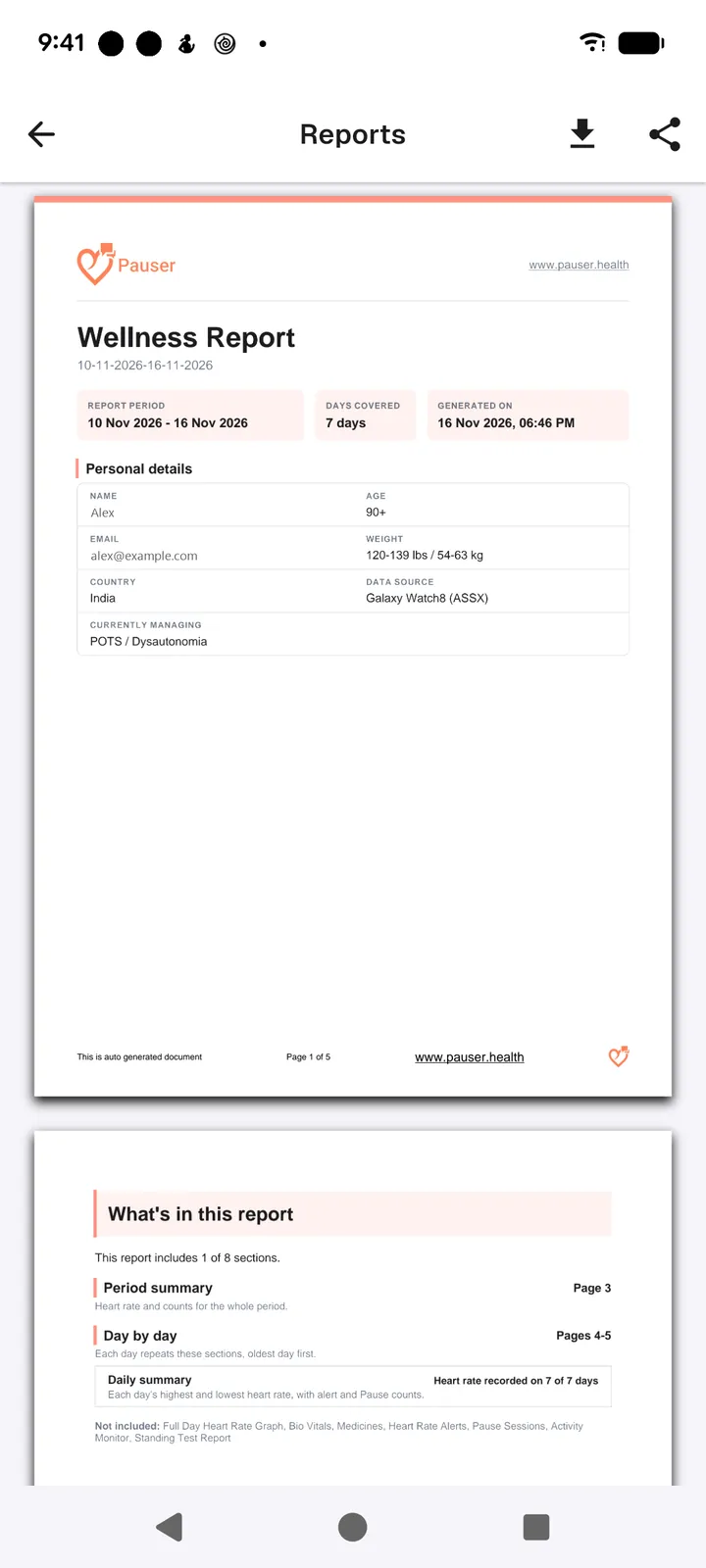
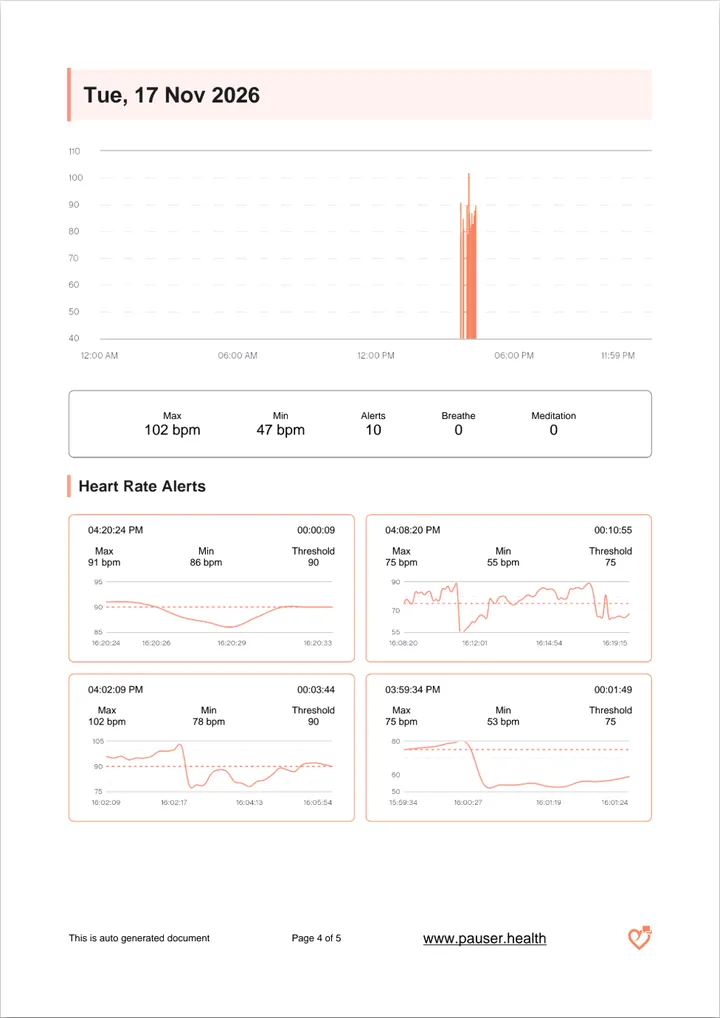
The Wellness Report is a PDF of the days you chose: a cover page, a contents page, a summary of the period, then one section per day with the parts you switched on. What goes in each day depends on the sections you pick under Include in Report.
Always included:
- Cover: the Report period, Days covered, Generated on, your Personal details (name, email, age, weight, country, data source) and what you are Currently managing.
- What’s in this report: the sections included, with page numbers.
- Summary for this period: your highest and lowest heart rate, a Heart Rate Trend by Day (bpm) chart and, for the sections you include, a count per day.
Sections you can add (most appear inside each day):
- Full Day Heart Rate Graph: heart rate across the whole of each day.
- Heart Rate Alerts: each alert, with its heart rate graph.
- Pause Sessions: each Breath and Meditation session, with its graph.
- Activity Monitor: each live heart rate recording, with its graph.
- Bio Vitals: blood pressure, blood glucose, oxygen, water and salt you logged, plus HRV on iPhone. A vital with no entries shows “Not recorded”.
- Medicines: the medicine times you logged as taken, day by day, with totals on the summary page.
- Standing Test Report: your Standing Check results for the period, added at the end.
Good to know:
- Deleted medicines are not included.
Some features depend on your plan. To see what yours includes, open the menu and tap the plan badge under your name.
Pauser shares wellness insights, not medical advice. If you have questions about your readings or how you feel, talk to your clinician.
Still stuck? Tap Support at the top of Home, or open the menu and tap Message us. You can also email support@pauser.health.