
Tap Take now next to the medicine on the Today’s Medicine Schedule card on Home. Pauser records it at the current time and adds it to today’s count.
First, the medicine has to be set up as As needed (see “How do I add a medicine and its reminders?”).
From Home (1 tap):
- On Home, find the Today’s Medicine Schedule card.
- Tap Take now next to the medicine.
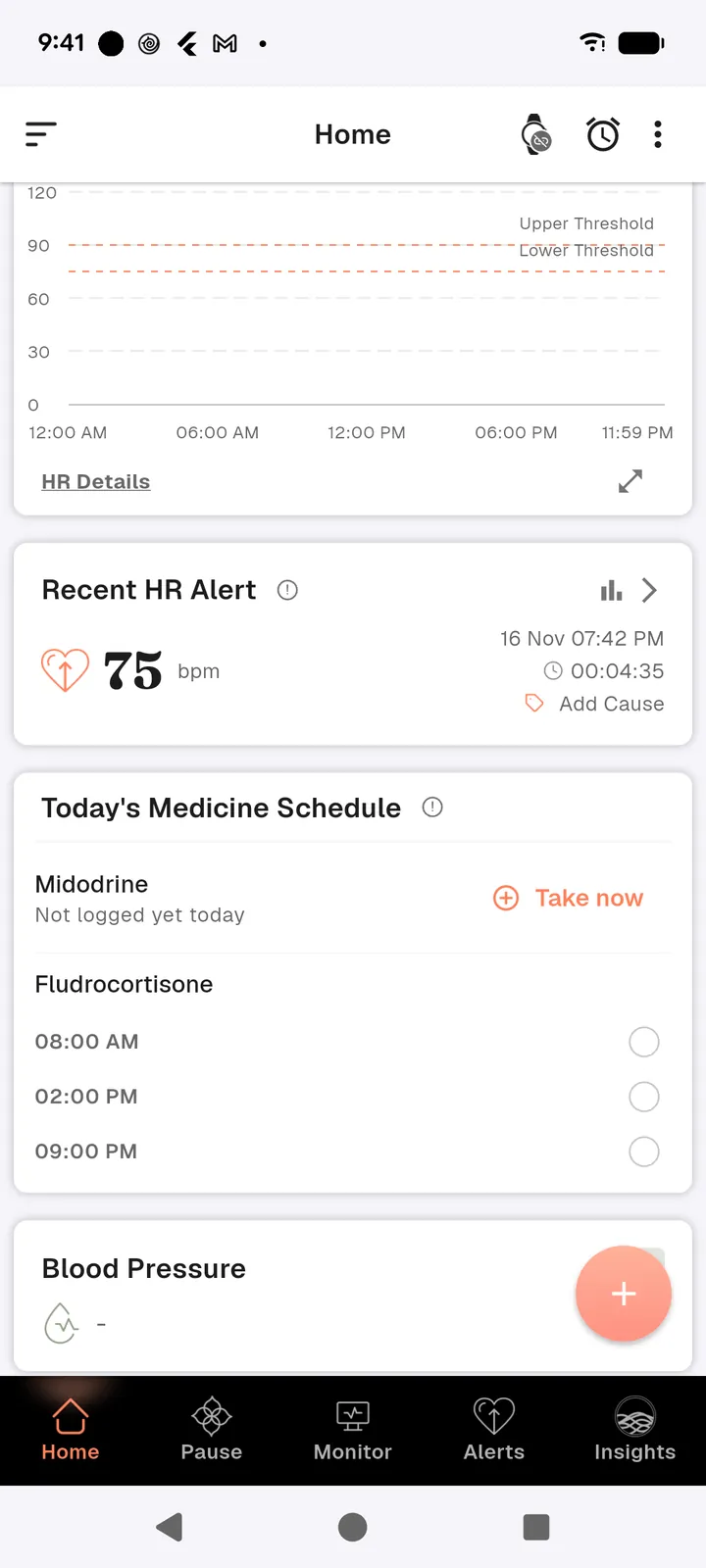
The line under its name changes from Not logged yet today to Taken today with the number of times, for example “Taken today (2)”.
From Medicines (to see, add or remove times):
- Open the menu and tap Medicines.
- On the medicine’s card, tap Log Medicine.
- Tap Take now for the current time, or Add a time to pick an earlier time.
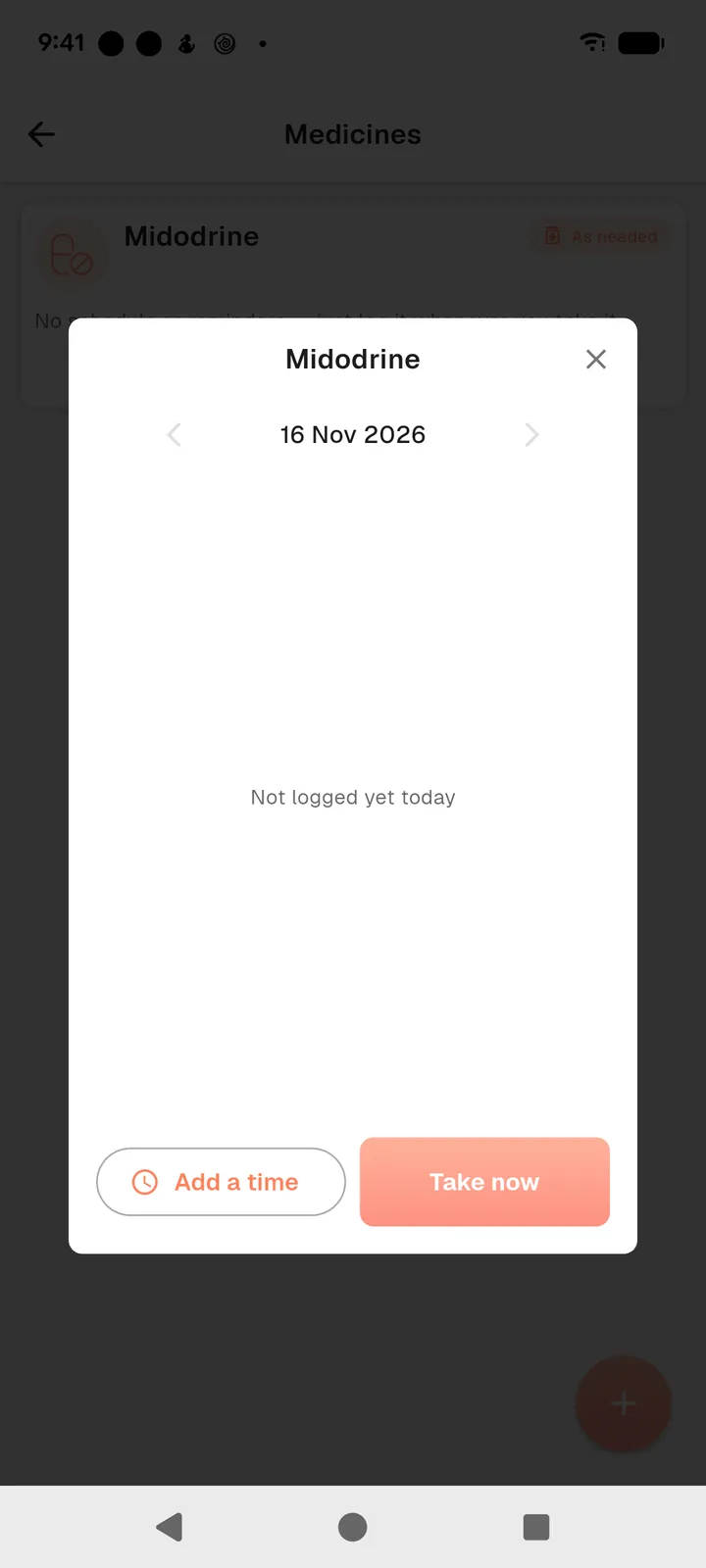
- Each entry shows as “Taken at” and its time. Tap the × next to one to remove it.
Every change here is saved right away, and Pauser shows “Medicine logged successfully”.
Good to know:
- Times are saved to the minute, so two taps within the same minute count once.
- As-needed medicines never send reminders.
Some features depend on your plan. To see what yours includes, open the menu and tap the plan badge under your name.
Still stuck? Tap Support at the top of Home, or open the menu and tap Message us. You can also email support@pauser.health.