
Yes. Pauser alerts you when a heart rate reading is at or below your lower limit, the left handle on the HR Alert Threshold slider. On a Wear OS watch, the reading has to be below the limit.
In Alert Settings, Pauser says: “Pauser will notify you when your heart rate crosses either the upper or lower threshold.”
To set your lower limit
- Open the Alerts tab and tap the settings (gear) icon.
- Drag the left handle on HR Alert Threshold to set your Lower Threshold.
- Let go to save.
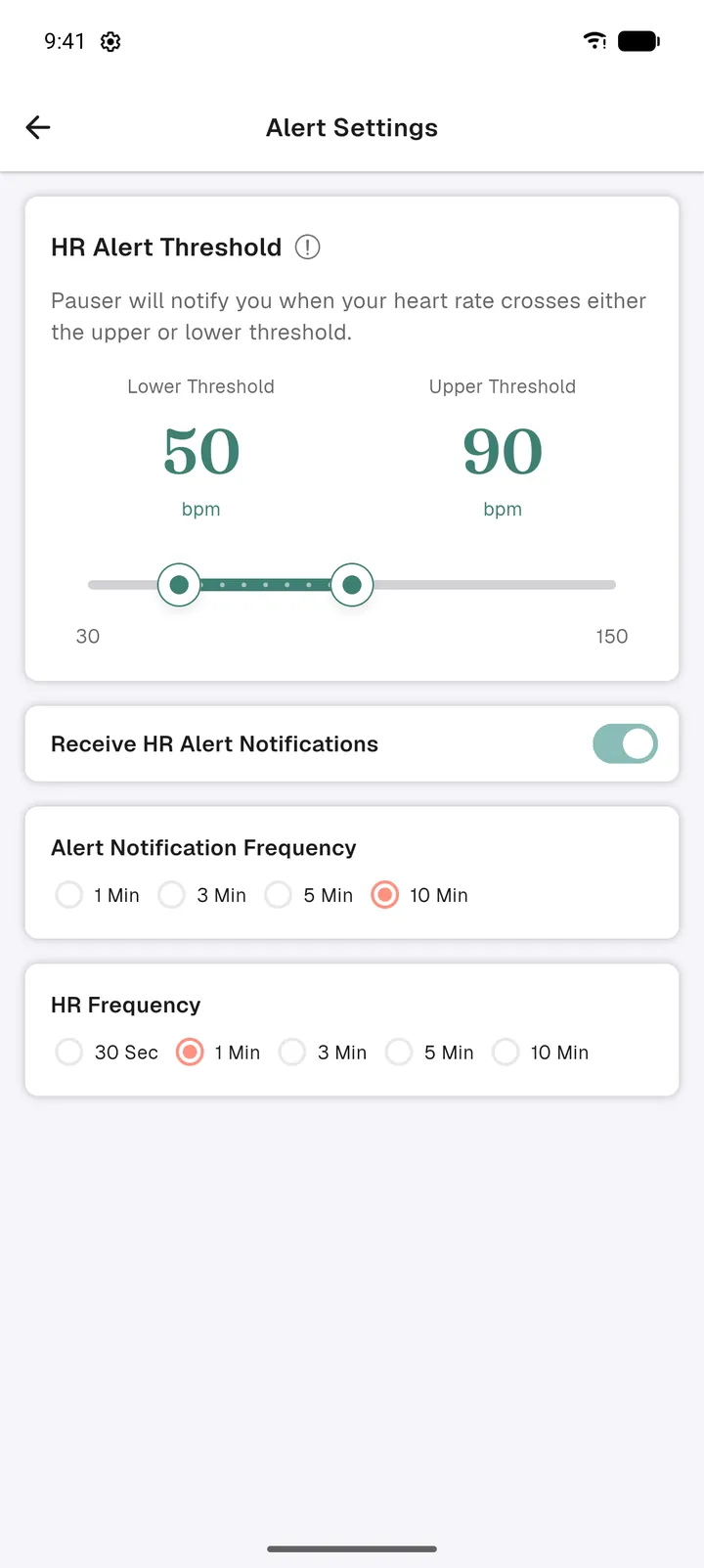
What a low alert looks like
On your phone it has the same Heart Rate Alert title as a high one, and reads like this: “48 bpm at 07:15 AM, below your limit of 50 bpm. Take a pause.”
Good to know
- A reading exactly at your lower limit counts on iPhone, on Apple Watch and for Health Connect readings. With a lower limit of 50 bpm, a reading of 50 bpm raises a low alert there. A Wear OS watch alerts only below your limit: 49 bpm raises a low alert, 50 bpm does not.
- One reading is enough, just like a high alert (see Does my heart rate have to stay high before I get an alert?).
- In the Alerts tab, tap Low in the Day view to see only low alerts.
- On an Android phone and a Wear OS watch, high and low alerts share one wait before the next alert. On iPhone and Apple Watch each has its own (see How often can alerts repeat?).
- On a Wear OS watch or Apple Watch, set the lower limit in General Settings (see How do I change alert settings on my watch?).
Pauser shares wellness insights, not medical advice. If you have questions about your readings or how you feel, talk to your clinician.
Still stuck? Tap Support at the top of Home, or open the menu and tap Message us. You can also email support@pauser.health.